


One-Click Trading: A faster way to trade on Exness Terminal

Exness has launched the ultimate feature for high-volatility traders.
One-Click Trading is now available on Exness Terminal.
Designed for traders who value speed and efficiency, One-Click Trading removes unnecessary friction between spotting an opportunity and acting on it.
Whether you're scalping, trading the news, or simply prefer a cleaner workflow, One-Click Trading allows you to execute trades with a single click and no UI interruptions.
What is One-Click Trading?
One-Click Trading is an optional trading mode in Exness Terminal that lets you open and close positions instantly without confirming every order.
Instead of repeatedly reviewing confirmation windows, you can execute trades directly from the trading screen. This creates a faster, more streamlined experience while keeping all the essential trading information within easy reach.
The feature is crucial in fast-moving markets, where even the smallest delays can affect the outcome of a trade.
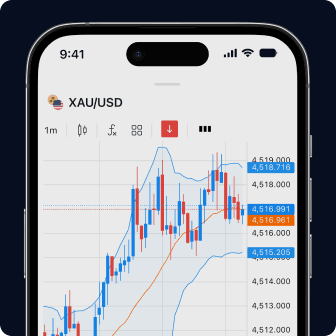
Every tool you need, all in one place
Chart, trade, and manage your funds—all from one user-friendly screen.
What's new?
When One-Click Trading is enabled, the trading interface adapts to make execution faster and more intuitive.
A simplified order form
The order panel will display only the controls you need to place a trade: your buy/sell buttons, the order size field, and—if you're placing a limit order—the order price field.
This cleaner layout reduces distractions and makes adjusting your trade size and executing your order even faster.
Frictionless order execution
With One-Click Trading enabled, you open and close market orders with a single click.
There's no additional confirmation window. You just click the order button and your trade is open. That means you can react as soon as market conditions change.
Close multiple positions with one action
Managing several open trades becomes easier.
From the trading screen, you can:
- Close all open positions
- Only close profitable positions
- Only close losing positions
This makes it much quicker to manage exposure during volatile market conditions.

Why use One-Click Trading?
Every trader has a different approach, but faster execution can benefit a wide range of trading styles.
One-Click Trading may be especially useful if you:
- Trade short-term market movements
- Use scalping strategies
- Frequently open and close multiple positions
- Prefer a cleaner, less cluttered trading interface
- Want to reduce repetitive clicks during active trading sessions
While it doesn't change market conditions or execution quality, it does reduce the time and cognitive load required to place and manage trades.
How to enable One-Click Trading
Getting started only takes a few seconds.
- Log in to your Exness account.
- Open the Exness Terminal.
- Open the trading panel.
- Select the One-Click form in the order form drop-down menu on the right, or click on Settings and change the Order Mode from there.
- Read and accept the disclaimer confirming that orders will be executed immediately without additional confirmation.
Once enabled, you'll be able to place and close market orders directly from the trading screen.
You can disable One-Click Trading at any time if you prefer to return to the standard confirmation workflow.
Trade your way
Some traders use the extra steps before every trade as a fail-safe or way to double-check values before entering a market. Others prefer to move quickly, with zero friction.
Either way, Exness Terminal gives you the flexibility to choose the experience that best suits your trading style and current market conditions.
Switch back and forth between modes whenever you like to get the best of both worlds.
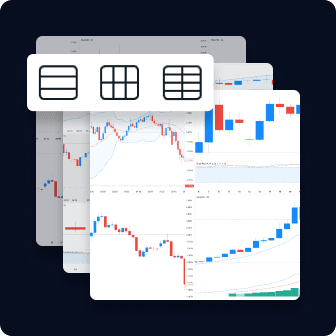
Stay in control of your Exposure
Watch up to 8 charts on one screen and manage your risk at a glance.
FAQs
What is One-Click Trading?
One-Click Trading is an optional mode in Exness Terminal that lets you open and close market orders instantly without an additional confirmation window.
Is One-Click Trading only for scalpers?
No. Although scalpers may benefit most from faster execution, any trader who prefers a quicker, simpler trading experience can use One-Click Trading.
Can I turn One-Click Trading off?
Yes. You can enable or disable One-Click Trading at any time from the Exness Terminal settings or the Order form panel.
Does One-Click Trading change execution quality?
No. One-Click Trading changes how you submit orders by removing the confirmation step. It does not change pricing or execution conditions.
Is One-Click Trading available on Exness Terminal?
Yes. One-Click Trading is available on Exness Terminal for eligible trading accounts.
This article does not constitute investment advice. Past performance is not indicative of future results. The information, data, prices, and market conditions presented in this article are accurate as of the publication date and may change over time. Your capital is at risk. Please trade responsibly.